
How to Automate Your Newsletter (and Why Cadence Converts)
Small publisher teams can automate daily newsletters from WordPress, eliminate login friction, and turn category segments into high-value ad inventory without adding a minute of extra work.

Episode Summary
- Higher newsletter cadence directly increases paid subscriber conversions by creating more chances for readers to hit upgrade messaging
- Small publishers can fully automate daily newsletters from WordPress without copying and pasting into an external email tool
- Category-based automated newsletters (like regional opt-ins) drive open rates as high as 65%, creating premium advertising inventory
- Auto-login links in newsletters eliminate login friction, reducing support tickets and cutting subscriber churn
- Automated weekend roundups recycle content most readers never saw the first time, giving publishers a zero-effort extra touchpoint
The Playbook
Most publishers know they should send more newsletters. The data is clear: higher cadence means more clicks, more site visits, and more chances for readers to see upgrade messaging. Local news publishers should aim for daily sends, Monday through Friday. Magazine and long-form publishers should target two to three times per week.
The problem is time. Many local news teams are one or two people. Building a newsletter every day on top of reporting, editing, and publishing feels impossible. So the newsletter gets pushed to once a week, or it gets dropped entirely.
Pete Ericson and Tyler Channel walk through how publishers can automate most of this work without sacrificing design quality or brand control.
RSS Is Better Than Nothing, But Not By Much
The traditional automation route is RSS-to-email through providers like MailChimp. Your email tool scans your site, pulls new content, and sends it automatically. It works, but the results look rough. Styling options are limited, you can’t easily insert sponsor placements or advertising, and the overall presentation falls short of what most publishers want for their brand.
For local news publishers who care less about design polish, RSS feeds can fill the gap. But as newsletter design standards keep rising, most publishers need something better.
Building Newsletters Inside WordPress

Flowletter takes a different approach. Instead of going to MailChimp or another email provider to build your newsletter, you build it directly inside WordPress. Your templates are already set. Your advertising slots are already placed. If you’re sending manually, you’re just choosing which articles to include and maybe writing a quick editor’s note at the top.
Even without full automation, this cuts out the copy-and-paste workflow that eats up time. You’re not switching between platforms. You’re not reformatting content. You’re working in the same editor where you publish your articles.
Full automation takes it further. You set a schedule, and the newsletter goes out at 6 a.m. (or whenever you choose) with any new content that’s been published. If there’s no new content, nothing sends. Publishers just focus on publishing their articles, and the newsletter takes care of itself.
The Hybrid Approach: Automate Your Segments
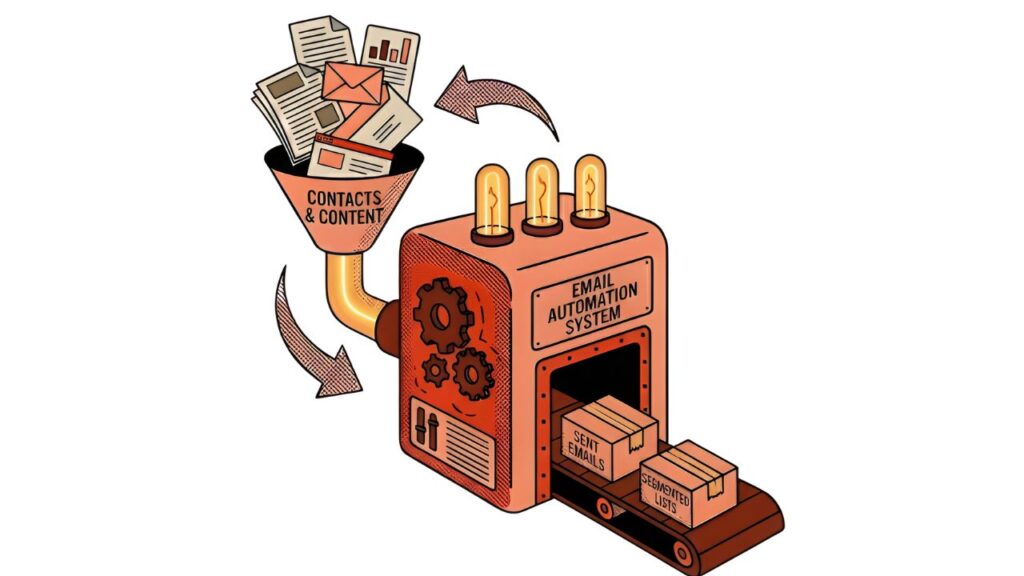
Not everything needs to be fully automated. Mexico News Daily runs a hybrid setup that’s worth studying. Their main daily newsletter is hand-built inside WordPress using Newsletter Glue. But their regional opt-in newsletters, covering specific areas like the Yucatan Peninsula, Southwest Mexico, and Mexico City, are fully automated.
These category-based newsletters scan their respective content categories once a week. If there are five articles tagged to the Yucatan Peninsula that week, those five go out automatically on the scheduled day. The publisher doesn’t touch them.
This approach creates two advantages. First, these hyper-targeted newsletters drive very high open rates because readers opted into exactly the content they want. Tyler noted that some of these segmented sends can hit 65% open rates. Second, that engagement makes them valuable for advertisers. A hotel chain or regional business can place ads in front of a small but highly engaged audience, and that inventory is worth more per reader than a general blast.
Think about your own content categories and which ones could run on autopilot. Sports, politics, community events, regional coverage: any bucket where content publishes regularly is a candidate for a category-based automated newsletter.
Solving the Login Problem
A less obvious piece of newsletter automation is what happens when readers click through to your site. If a paid subscriber or registered reader clicks a link in your newsletter and then gets hit with a login screen, you have a problem. Some readers will just leave. Others will try to log in, get confused between registration and login flows, forget their password, and eventually give up. Some will cancel their subscription out of frustration.
Flowletter solves this by auto-logging readers in when they click through from the newsletter. A paid subscriber clicks an article link and lands on the site already authenticated at the correct subscription level. No login screen. No password reset. No support ticket.
This is a churn reduction strategy as much as it is a convenience feature. Every friction point you remove from the subscriber experience reduces the chance someone cancels. And every support ticket you eliminate frees up time for a team that’s already stretched thin.
The Weekend Roundup: Recycle What Readers Missed
One of the most practical automation strategies is the weekly roundup. Publishers send content throughout the week, but not every subscriber opens every email. Most readers only see a fraction of what you publish. A Saturday or Sunday newsletter that repackages the week’s best content gives subscribers a chance to catch up on everything they missed.
These roundups can be fully automated. You set limits (up to three articles from this category, up to two from that one) and the system pulls from what was published during the week. You can even randomize the selection to keep things varied.
The key mindset shift: content that feels stale to you, the publisher, is still completely fresh to most of your readers. Don’t be afraid to recycle articles that are a few days old. Your subscribers didn’t see them the first time.
Key Takeaways
Start with your existing content categories. Look at which content buckets publish regularly enough to support an automated newsletter. You don’t have to automate everything at once. Pick one or two categories and let them run.
Auto-login from newsletters is a churn reduction tool. Subscribers who can’t log in don’t just call support. They cancel. Removing that friction keeps paying readers happy and reduces your support burden.
Segmented newsletters are premium ad inventory. A small list with a 65% open rate is more valuable to advertisers than a big list with average engagement. Category-based opt-ins create that inventory without extra production work.
Recycled content isn’t lazy, it’s smart. Your readers aren’t seeing everything you publish. A weekly roundup gives them a second chance and gives you an extra touchpoint with zero additional content creation.
Notable Quote
“They turn on the automations and then they start to see not only more people coming to their website, but they’re also seeing people pay for subscriptions because they’re like, yeah, I forgot I signed up for that.”— Tyler Channel
Try This Week
Identify one content category on your site that publishes at least three articles per week. Set it up as an automated weekly newsletter that goes out on a day you’re not currently sending. You’ll add a touchpoint, reach readers who missed that content in your main newsletter, and test the automation workflow with minimal risk.
Watch the Episode
Listen on the Paywall Podcast
Resources Mentioned
- Leaky Paywall — WordPress subscription platform
- Flowletter — Automated newsletter and login system
- Mexico News Daily — Publisher using hybrid automated newsletters
